Soaro

A lighter Mac.

Soaro lives in your menu bar. It watches CPU, GPU, memory, disk, network and battery, and tells you what to do when something goes wrong.

Free and open source (GPL-3.0) · macOS 14 or later · Apple silicon

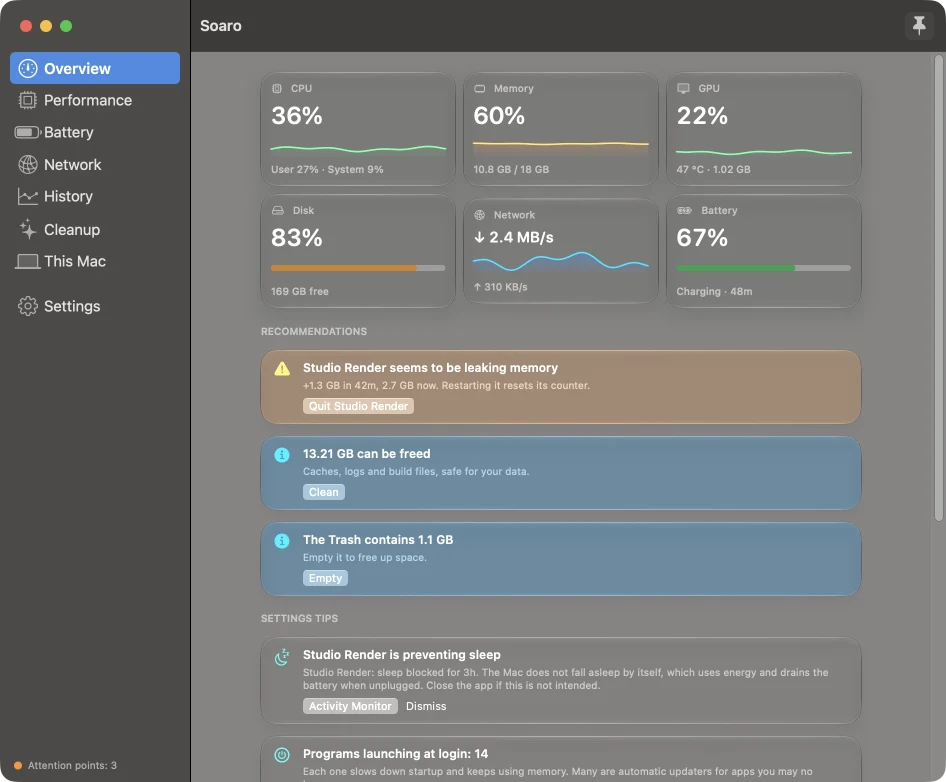
The Soaro window, showing six gauges for CPU, memory, GPU, disk, network and battery, followed by recommendations

What you see

Open the panel from the menu bar for a quick look, or keep the full window on your desktop. Everything is measured on your Mac, in real time.

In the menu bar

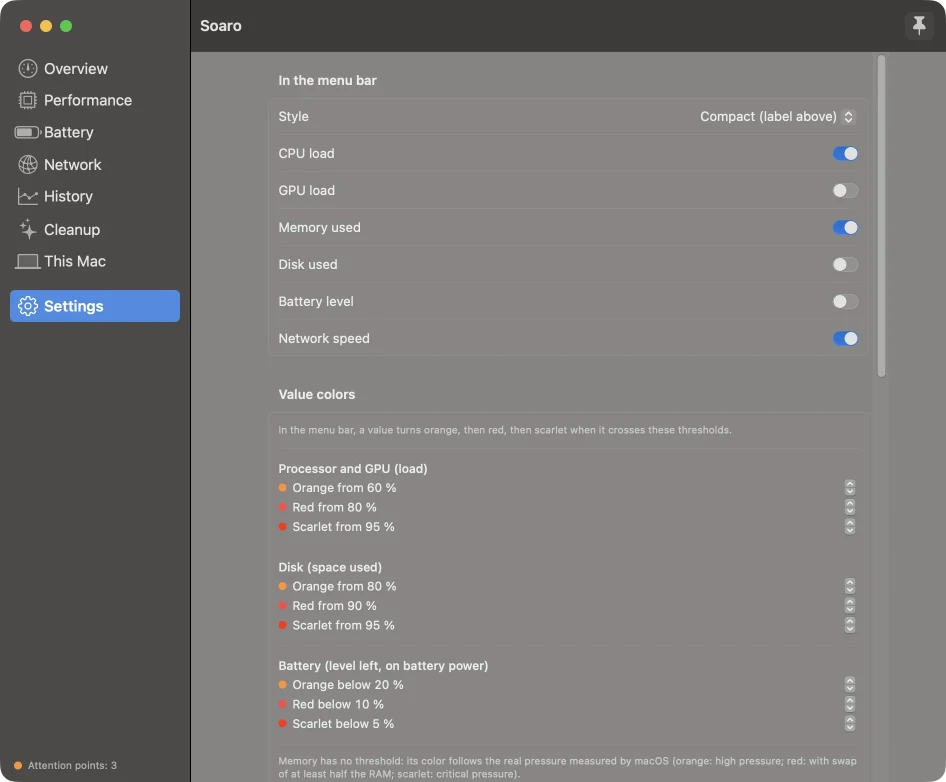
Choose what you want to see, next to the clock.

  • A value turns orange, red, then scarlet as it gets worse
  • You choose the thresholds
  • Hover over the icon to see why something is colored

Settings with the choice of values shown in the menu bar and the color thresholds

Performance

The details that Activity Monitor hides in several windows.
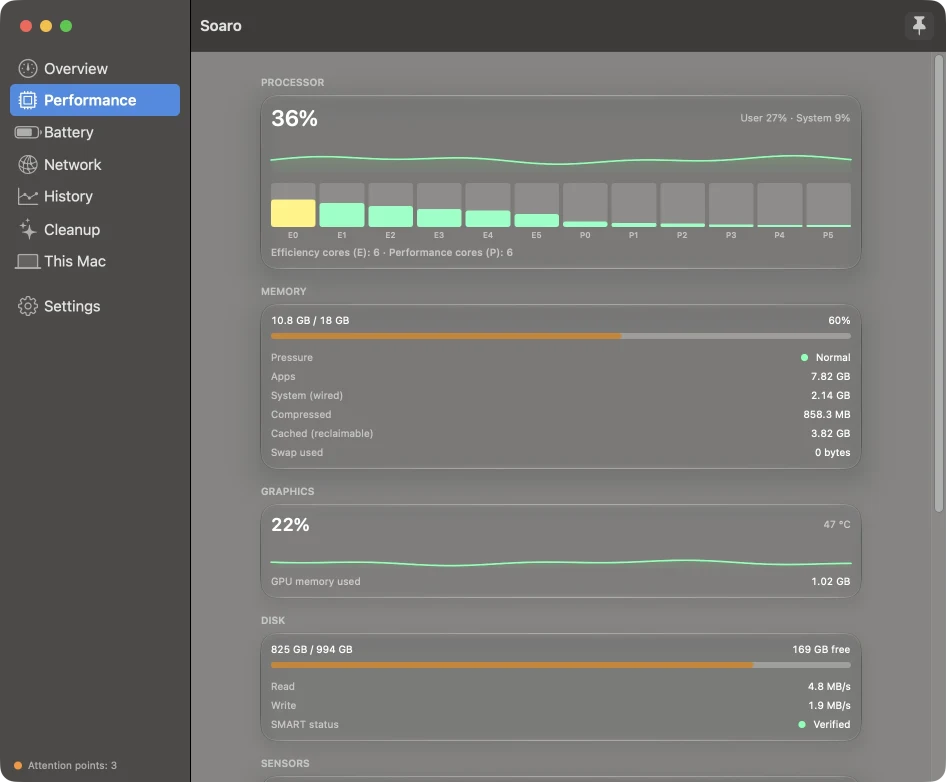
  • Load per core, with efficiency and performance cores apart
  • Memory pressure, swap and compressed memory
  • Disk speed and SMART status
  • Temperatures, fans and power draw
Performance tab with one bar per CPU core and memory details

Battery

Is your battery still good? Which app drains it?
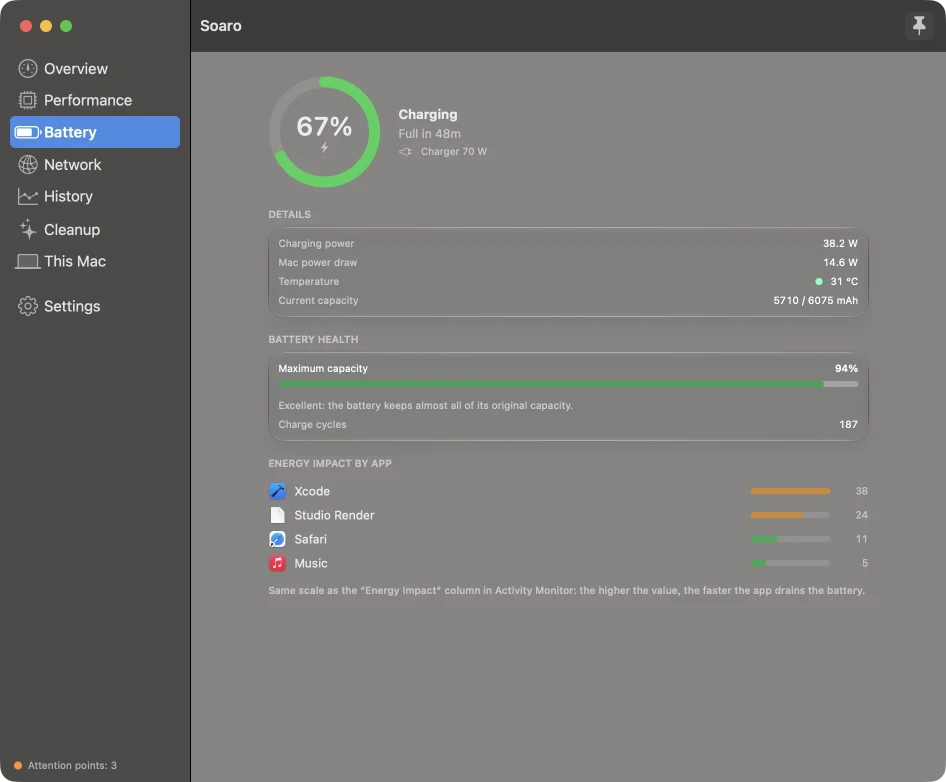
  • Health and cycle count
  • Charging power and Mac power draw, in watts
  • Energy impact per app
Battery tab with charge level, health and energy impact by app

Network

Speed, volume, and who is using your connection.
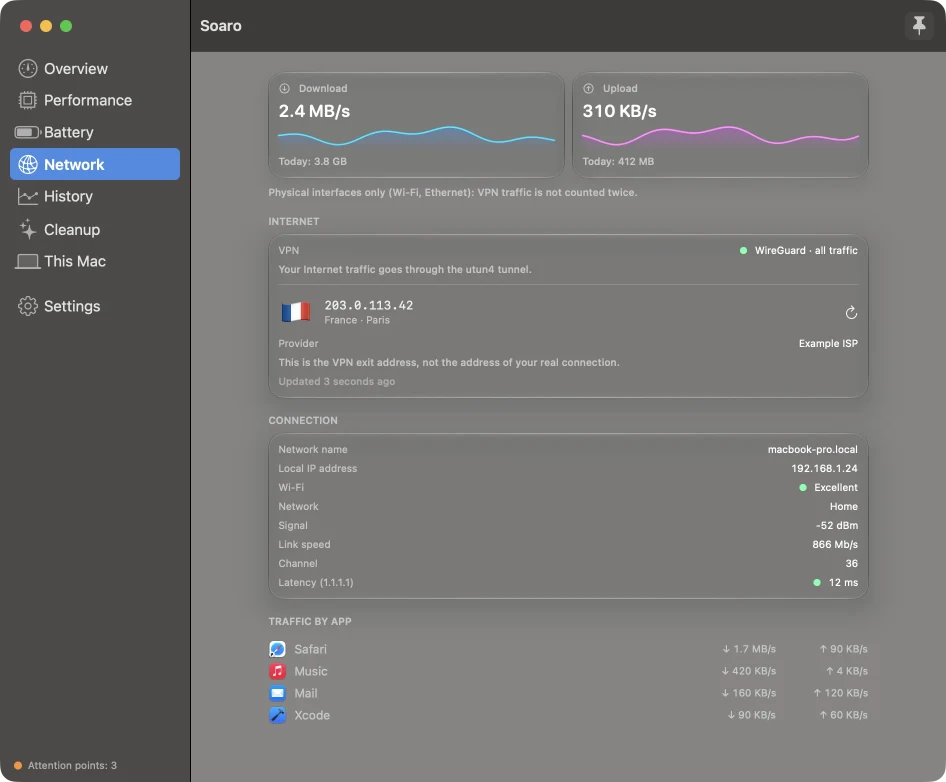
  • Traffic per app
  • VPN detection, done locally
  • Wi-Fi quality and latency
  • Public IP and country, if you turn it on
Network tab with download and upload speed, VPN status and traffic per app

History

Something was slow last night? Look at the last hour, day, week or month. The history stays on your Mac, for 30 days.
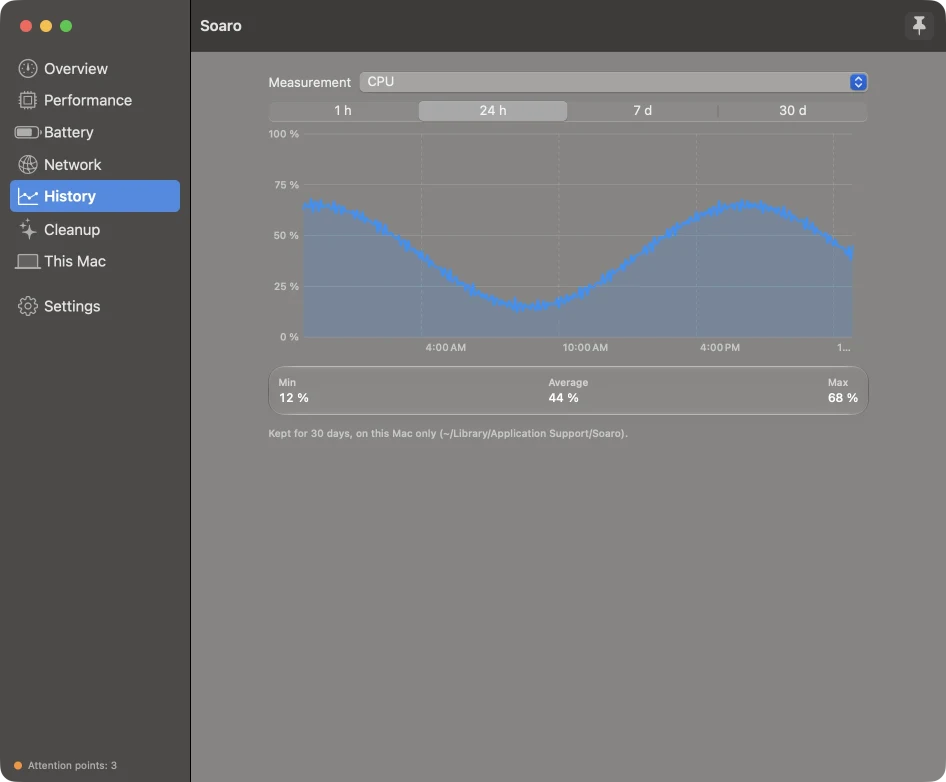
History tab with a CPU chart over 24 hours

Cleanup

Four tools, made for people who build things.

  • Large files
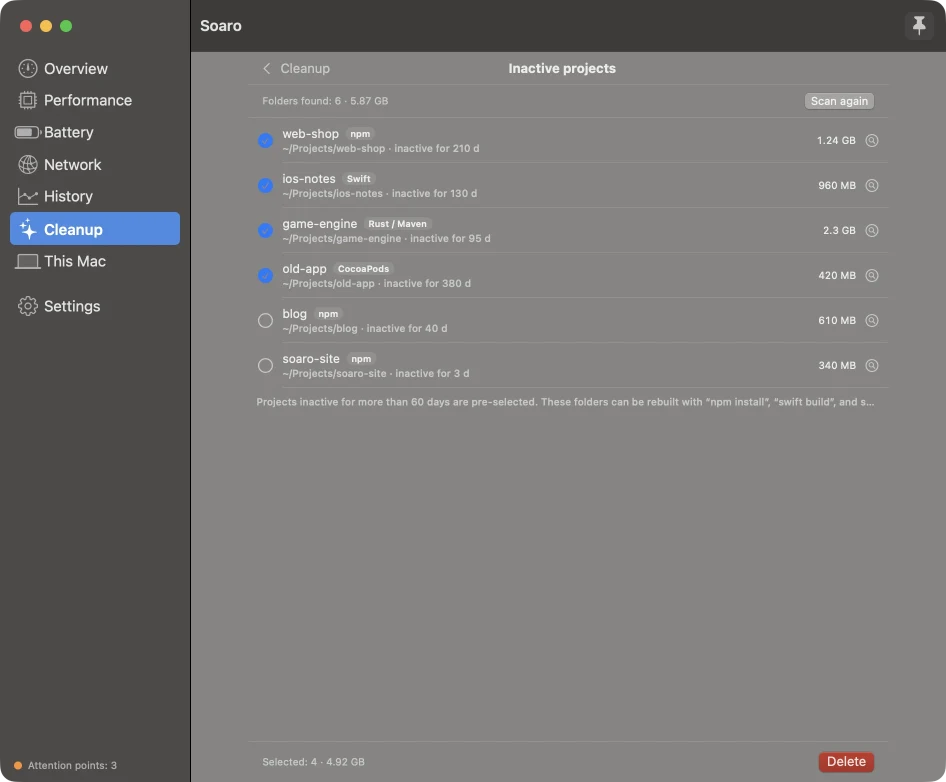
  • Inactive projects: node_modules, .build, target, Pods
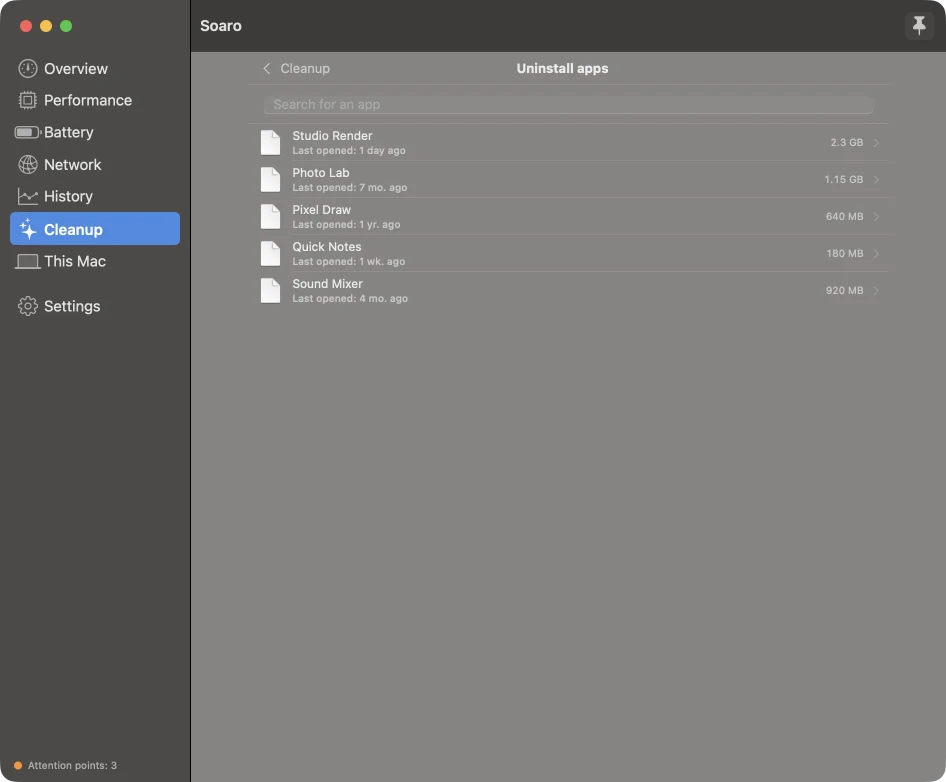
  • App uninstaller, with leftovers
  • Login items
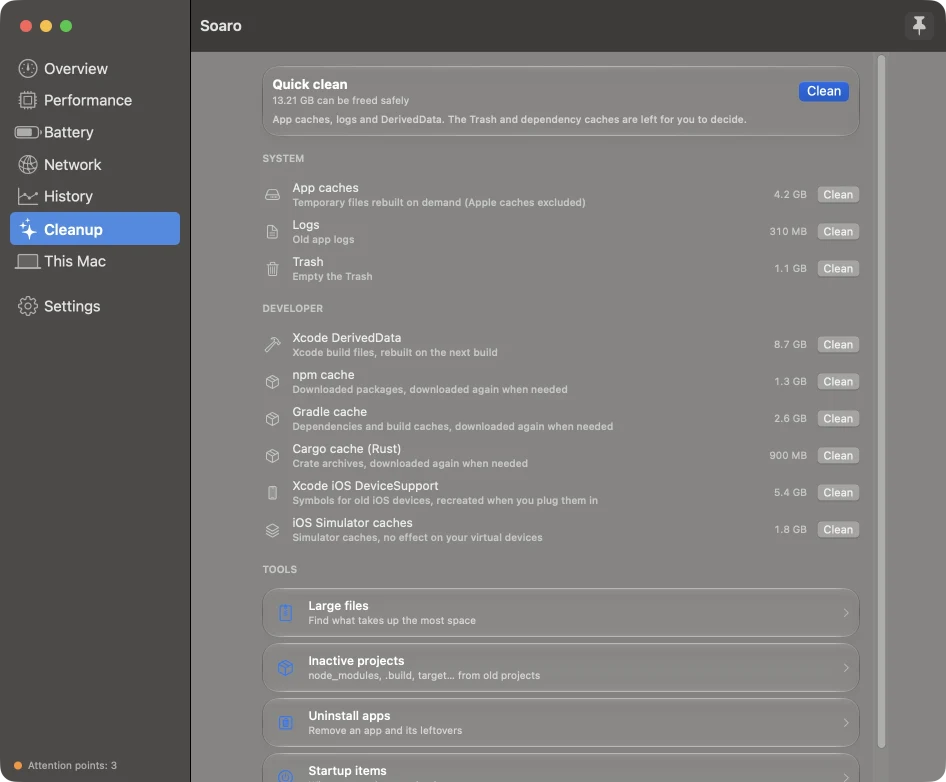
Cleanup tab with caches and the four cleanup tools
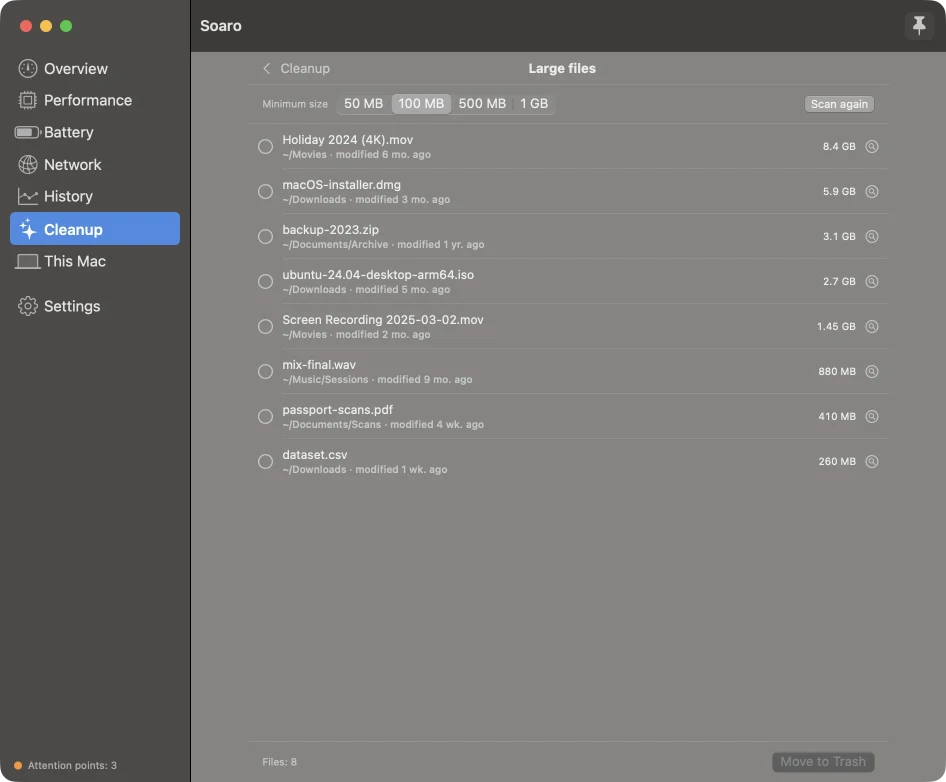
Large files tool
Large files
Inactive projects tool
Inactive projects
App uninstaller
App uninstaller

It suggests. You decide.

Soaro warns you about a full disk, memory under pressure, a probable memory leak, a hot Mac or a worn battery. It only sends a notification when the problem is critical.

Settings tips

Soaro reads a few macOS settings and tells you what could help: Low Power Mode, an app that blocks sleep, too many login items, storage, updates, backup.

No surprise

Soaro never changes a setting. The button opens the right pane in System Settings, and you decide.

Light

About 20-35 MB of memory and 1-2% of one CPU core when idle. When the panel is closed, the interface costs nothing.

Privacy

Soaro runs on your Mac and keeps your data there.

Local by default

  • History stays in ~/Library/Application Support/Soaro
  • The app has no account, no analytics and no tracking
  • The code is public: you can check it

Two optional features

  • Latency test: a small ping to 1.1.1.1
  • Public IP and country: a third-party service sees your public IP
  • Both are off until you turn them on

Updates

Once a day, Soaro downloads a small public file to know if a new version exists. It sends no personal data. You can turn it off.

This website

This website counts visits with Umami, an open source tool. It sets no cookie, does not follow you from site to site, and respects the "Do Not Track" setting. The app sends nothing of this kind.

Cleanup is careful

  • Everything is confirmed before it is deleted.
  • Soaro only touches your home folder, and tests check this rule.
  • Large files and uninstalled apps go to the Trash, so you can get them back.
  • A project folder is only suggested if its project file is next to it. A build or dist folder is never suggested.

Limits

I prefer to be clear about what Soaro cannot do.

  • Apple silicon only. Intel Macs are not supported.
  • Temperature, fan and power readings use private Apple interfaces. A new macOS version can break them. If a reading fails, that section disappears.
  • Soaro is not on the Mac App Store: it needs access to your files to clean them, which the App Store sandbox does not allow.
  • Some information needs a permission: the Trash size needs Full Disk Access, and the Wi-Fi name needs location access.
  • Most translations were made with AI help and need review by native speakers. You can help.

Languages

  • English
  • Français
  • Deutsch
  • Español
  • Italiano
  • Português (Brasil)
  • 日本語
  • 简体中文
  • 한국어

Download

Soaro is signed with a Developer ID and notarized by Apple. It updates itself.

  1. Download the .dmg file.
  2. Open it and drag Soaro to Applications.
  3. Open Soaro. It appears in the menu bar.

Support the project

Soaro is free and open source. If it saves you time, you can support it. It is optional, and it helps me keep working on it.

Buy me a coffee